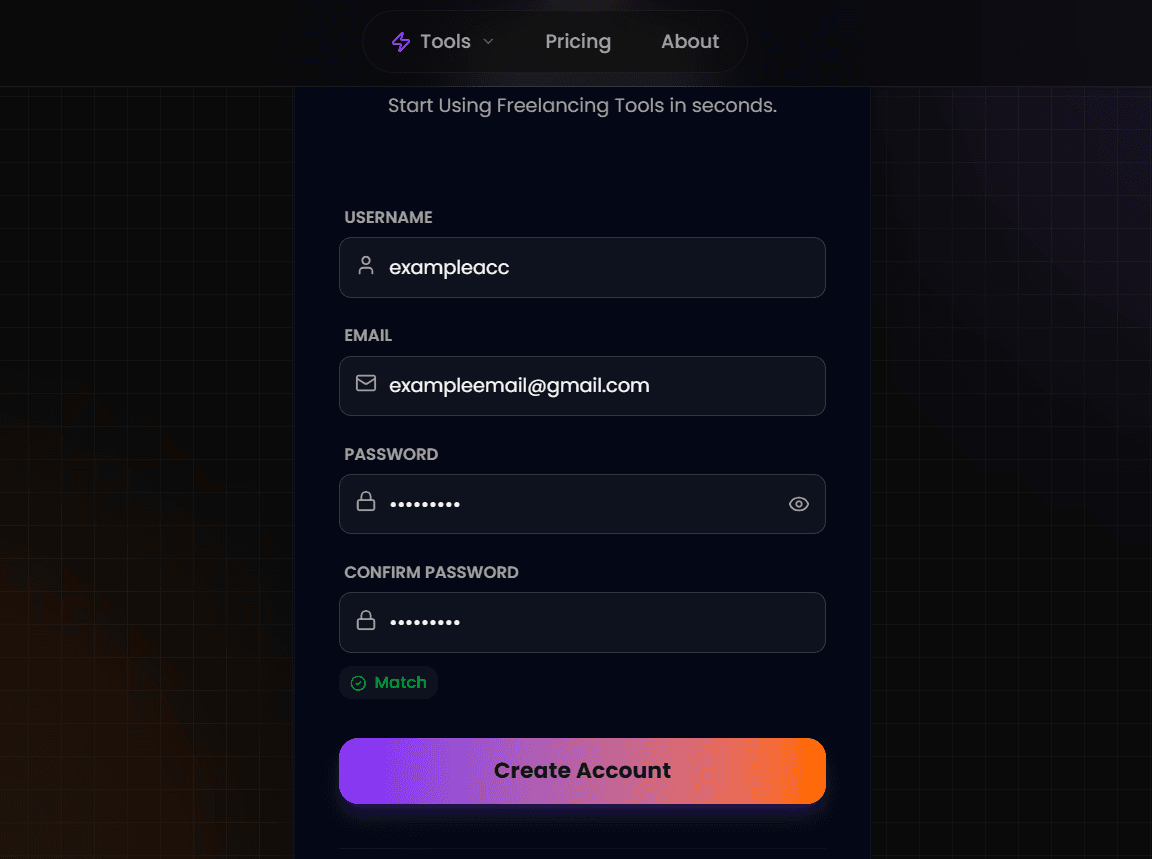
Register Your Account
Navigate to the signup page. Enter your full name and a valid email address. We use this email to send you important job alerts and security codes, so ensure it's one you check often.
- Secure Encryption
- No Credit Card Required
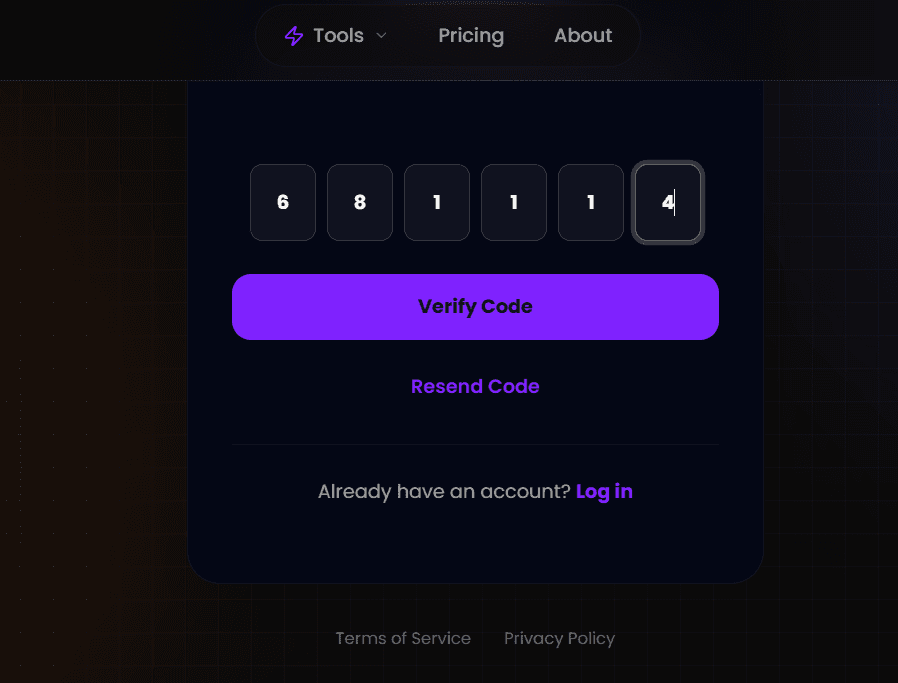
Verify Your Email (OTP)
Check your inbox immediately after signing up. You will receive a One-Time Password (OTP). Enter this code to activate your account.
Tip: If you don't see the email within 60 seconds, check your "Spam" or "Promotions" folder.
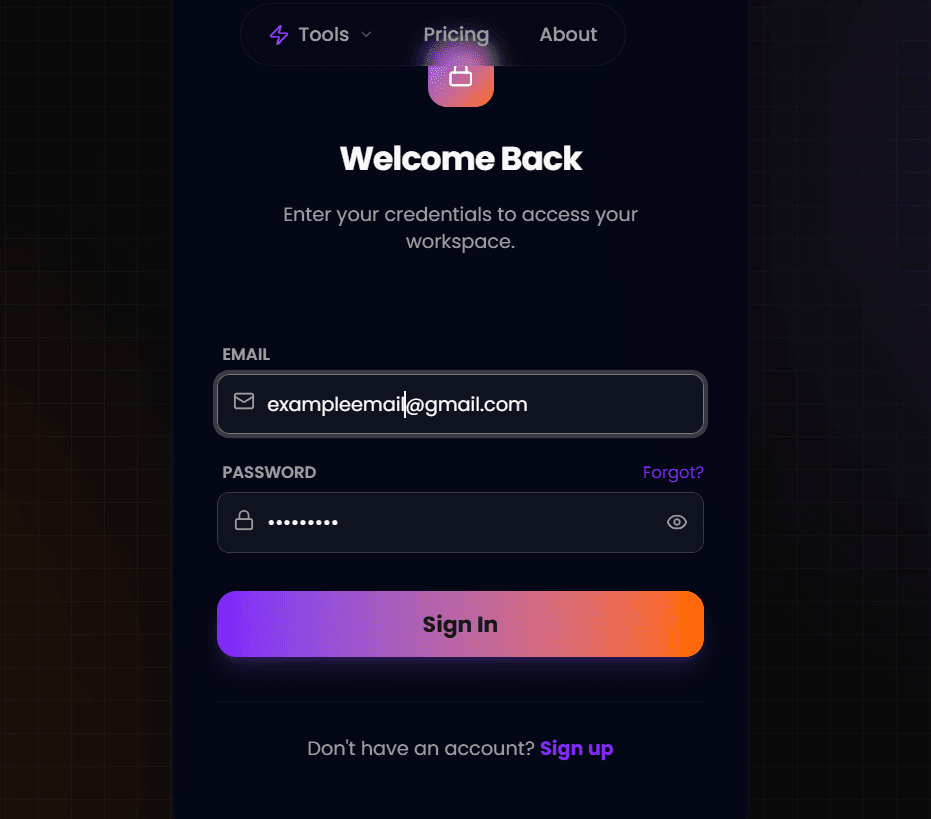
Complete Your Profile
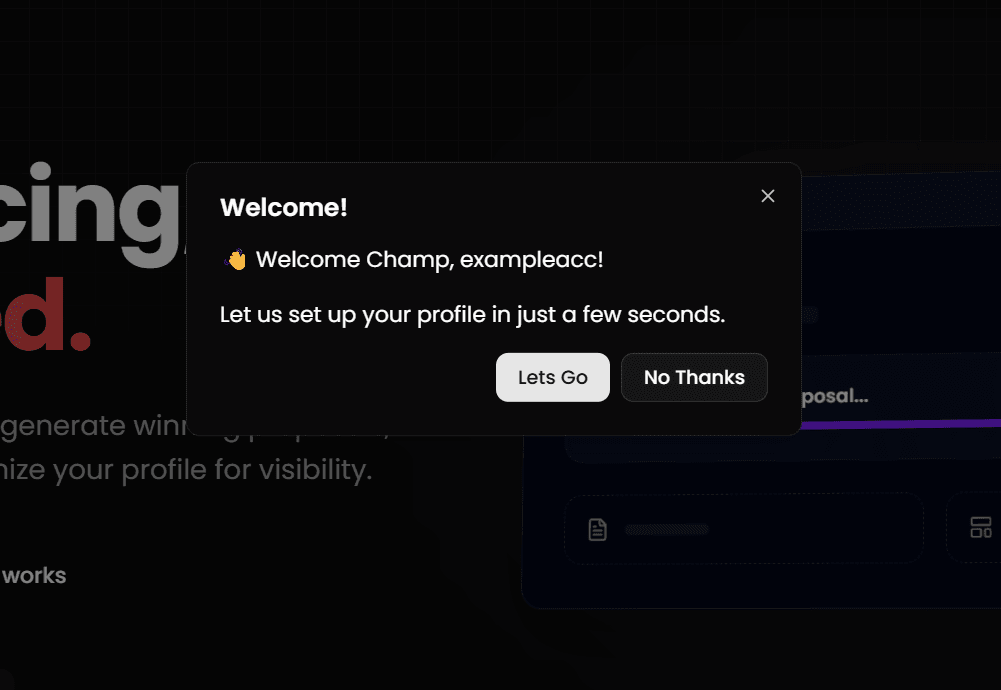
Upon your first login, you will see a "Welcome" modal. Click Let's Go to launch the setup wizard.
You will be asked to enter your primary skills, experience level, and a short bio. The AI uses this data to personalize every cover letter it writes for you.
Step 5: The "Smart Match" Secret
This is the most important step. The wizard will ask you to add your past projects. Do not skip this.
Why Add Projects?
When you generate a proposal for a job (e.g., "I need a Blog Website"), our AI searches your project list. If you added a "Travel Blog Project" here, the AI will automatically mention and link it in your cover letter.
The Result
Clients see relevant proof instantly. Instead of saying "I can do blogs," your proposal says "I recently built this exact type of blog [Link]." This increases win rates by over 40%.